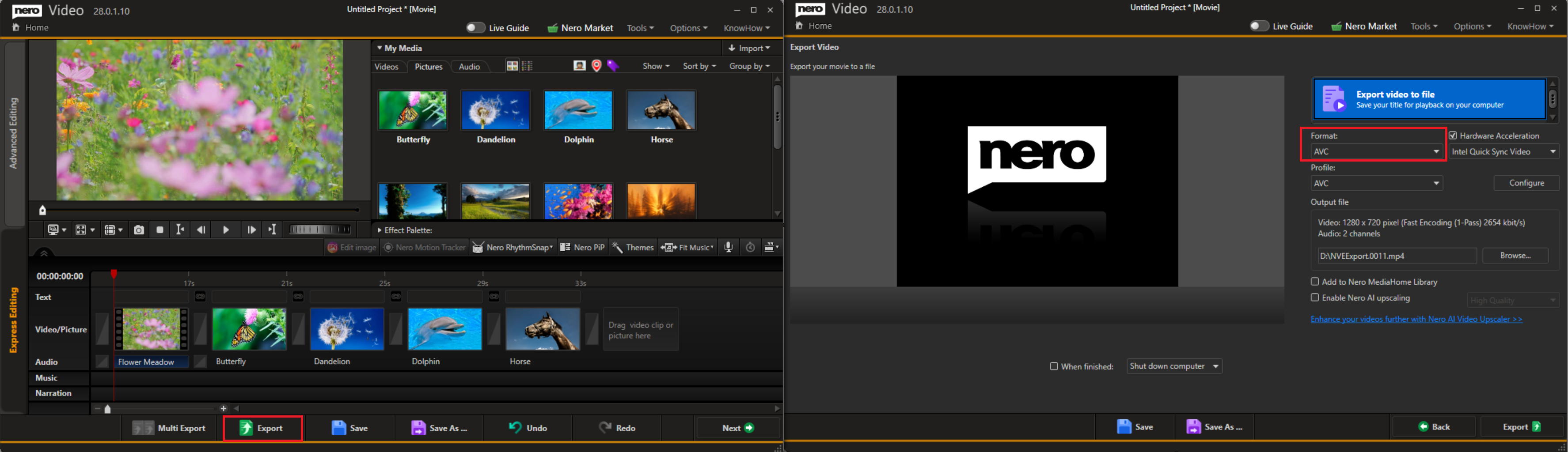
I created and saved a slideshow in Nero Video, but I can't find a playable video file to copy to a USB drive. Why is that?

When you save a project in Nero Video, it only saves the project file—not a video file. (The icon shown in screenshot indicates a project file, not a video).
To get a playable video, you need to open the project in Nero Video, export it as an AVC video, and then copy that exported video file to USB drive. Once that's done, you can play it on your TV or any media player.