About project templates
A project template saves your entire project setup—including timeline structure, effects, transitions, and placeholder clips. You can reuse it later with new media files without rebuilding the project from scratch.
To save a project as a template:
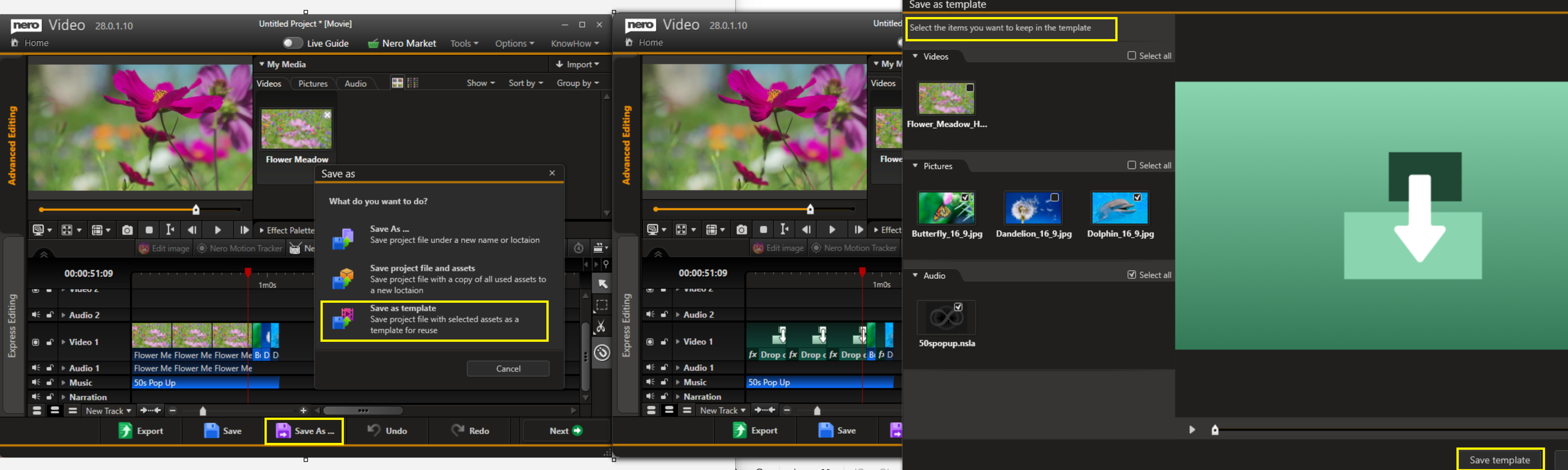
Click Save As → Save as Template.
Select the items you want to keep in the template.
Save the template to your desired location.
To use a saved template:
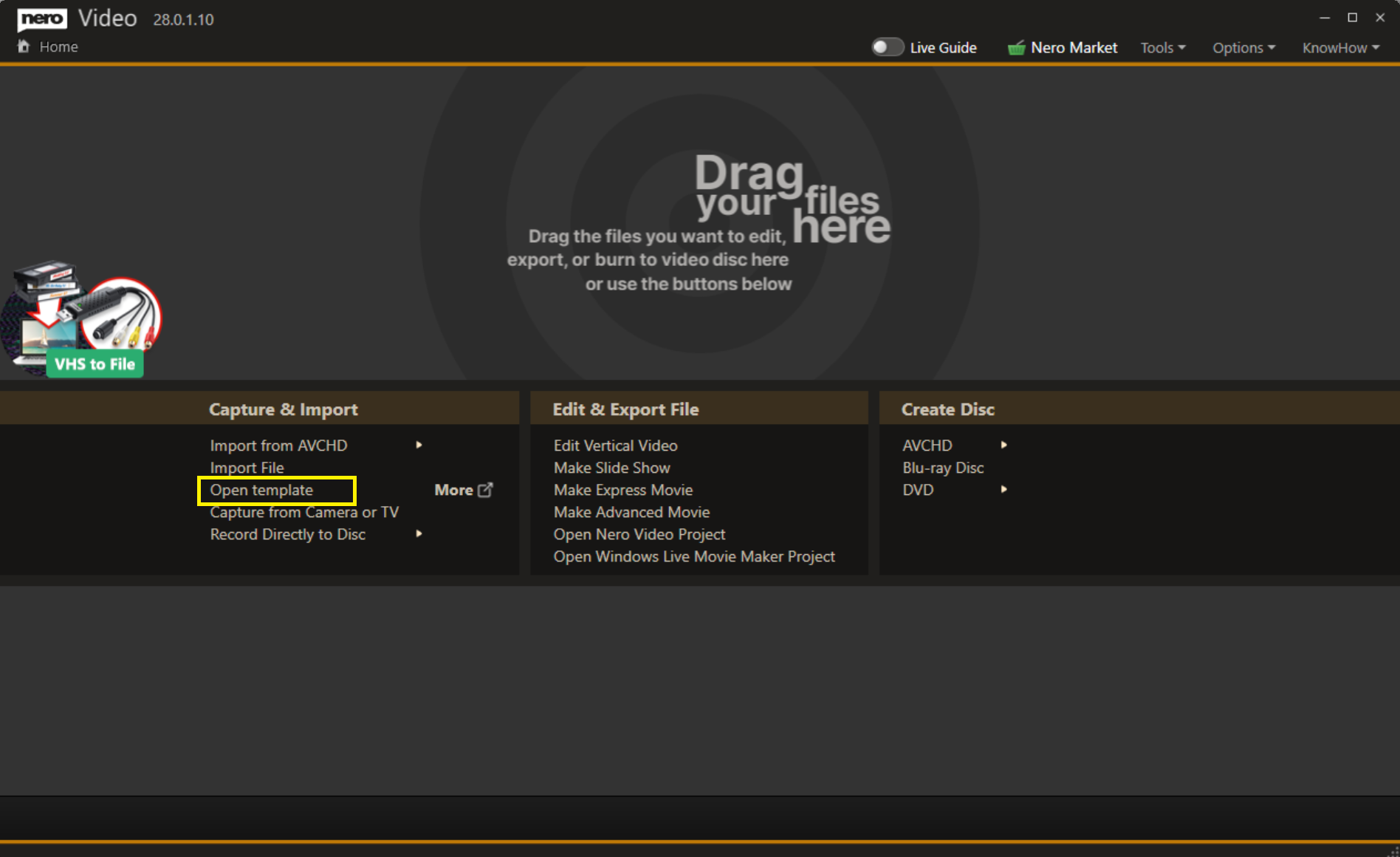
On the Home page, click Open Template.
Browse to locate your saved template file.
Drag your new clips into the placeholder slots.
Your new project is now ready.