If you burned an nrg image file for a project, "the burning process was successful", the nrg file that was supposed to be created can't be found anywhere on my computer.
First change the save location for the project(for example: D:\), try again. If still can not find the .nrg file,
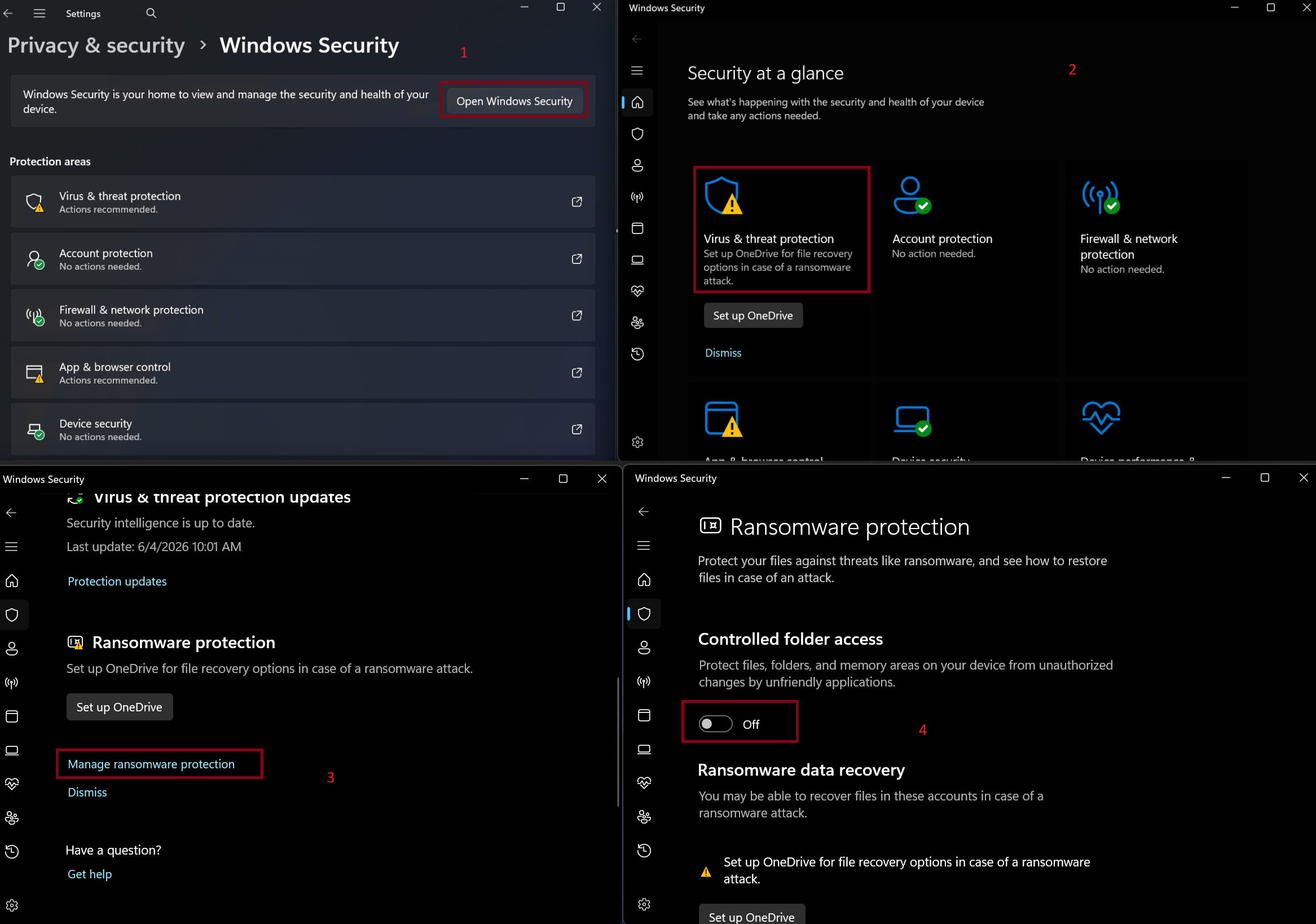
1.Open Settings: Press Win + I on your keyboard.
Go to Windows Security: Navigate to "Privacy & security" → "Windows Security" → Click "Open Windows Security".
2.Find Ransomware Protection:
Click on "Virus & threat protection" on the left.
3.Scroll down to the "Ransomware protection" section.
Click "Manage ransomware protection".
4.Access the Controlled Folder Access Settings: You will now see the "Controlled folder access" toggle, if it "on", switch to "off", then burn again.