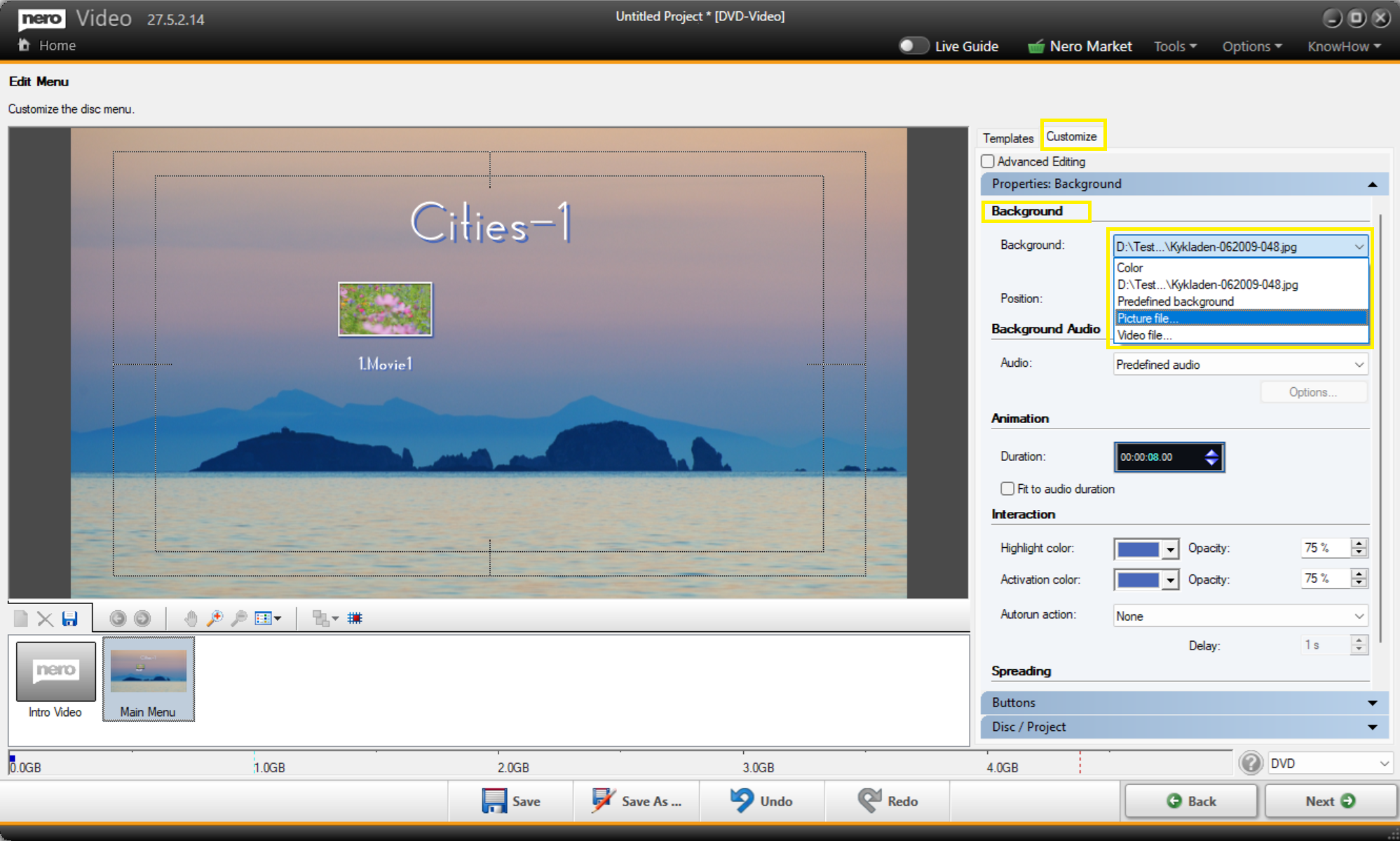
To use your own pictures or videos as DVD or Blu-ray disc menu backgrounds:
1. Launch Nero Video and import your video content.
2. Go to the "Edit Menu" page.
3. Click on the "Customize" tab.
4. Find the "Background" dropdown menu.
5. Select:
- "Picture" to use a static image (e.g. JPG or PNG).
- "Video" to use a moving background (e.g. MP4).
6. Browse to and import your custom template file. It will be applied as your disc menu background immediately.