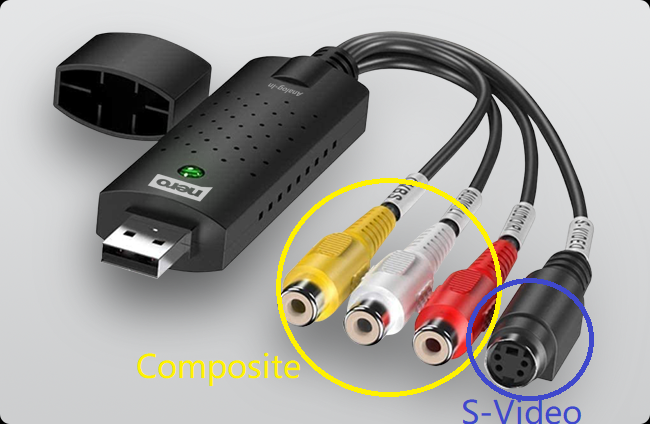
In some cases, compatibility issues with the VHS player or VCR, or a mismatch in the video standard of the source tape (such as NTSC, PAL, or SECAM), may cause the recorded video to appear in black and white or display artifacts such as colored lines or static noise. First, verify these factors and ensure all hardware connections are secure. If the issue persists, try switching the video connection type. The Recode Stick supports two video input options: Composite (3-cable set, with the yellow cable used for video) and S-Video. The yellow cable carries video, while the red and white cables carry audio. Switch the yellow video cable from the Composite connection to the S-Video connection to see if the recording quality improves.
If this resolves the issue, we'd appreciate it if you could let us know.