If images appear blurred after being placed on the timeline and previewed, try the following solutions:
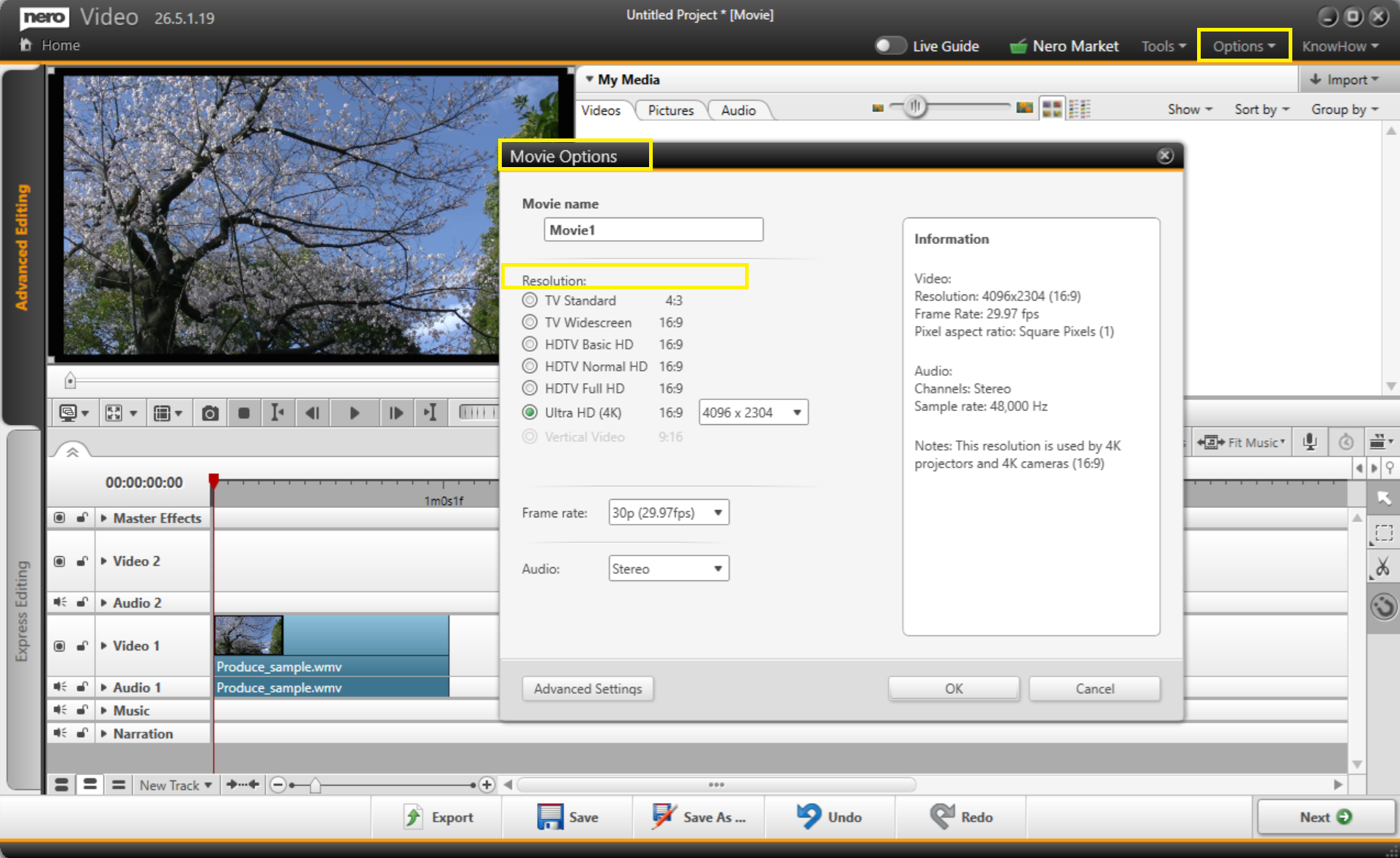
1. Set the correct project resolution:
Go to Options > Movie Options. Ensure the Resolution setting matches the native resolution of your images or video clips.
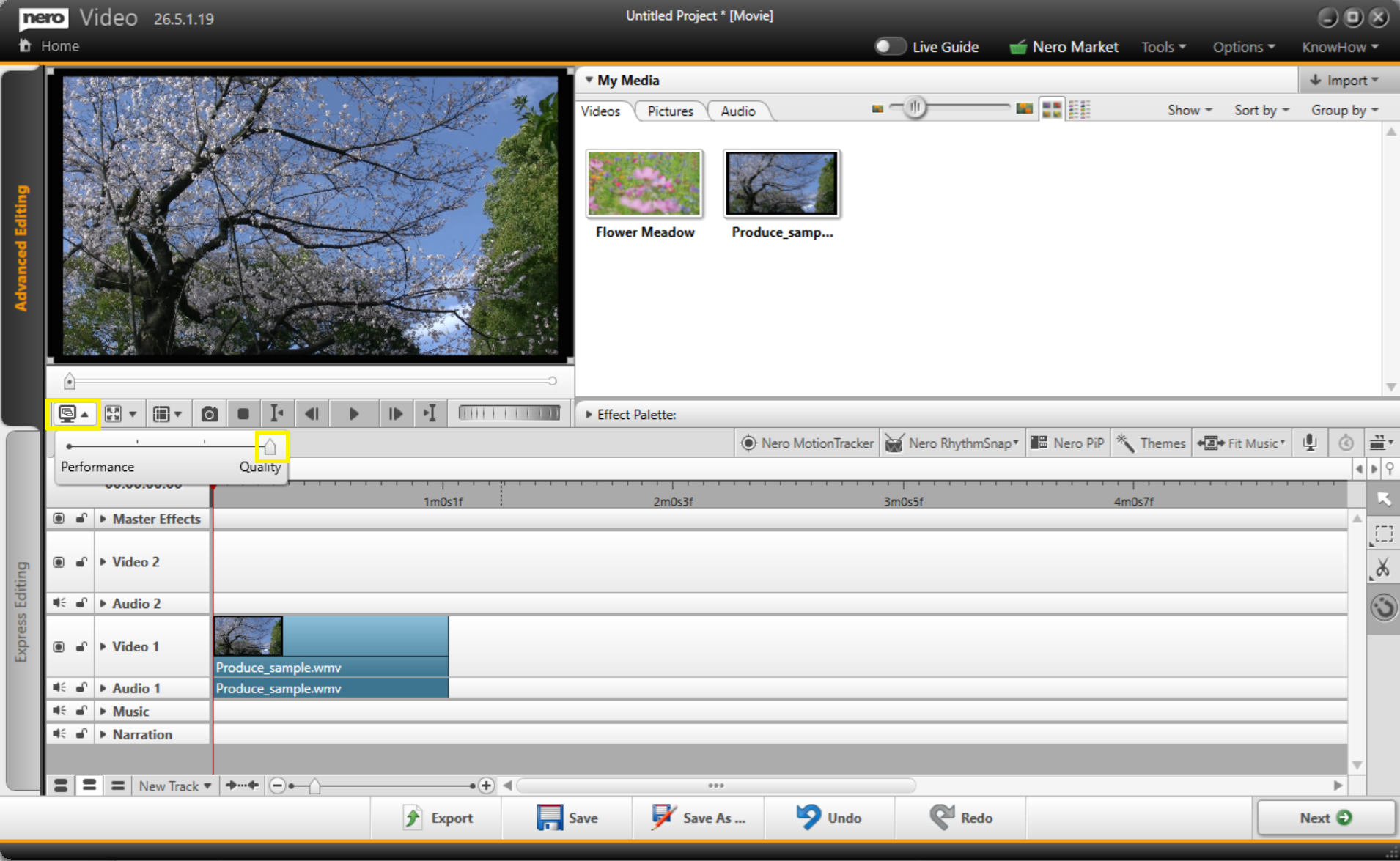
2. Maximize playback quality:
Click the Playback Quality button. Set the Quality to Very High or the maximum available setting.