Two methods of inserting clips are available.
To insert a new clip into the timeline (which will push all later clips forward):
1. Position the playhead where you want to insert the clip.
2. Hold down the Shift key on keyboard and drag the new clip onto the timeline.
3. The new clip will be inserted at that point, and all clips after the insertion point will shift forward to make room.
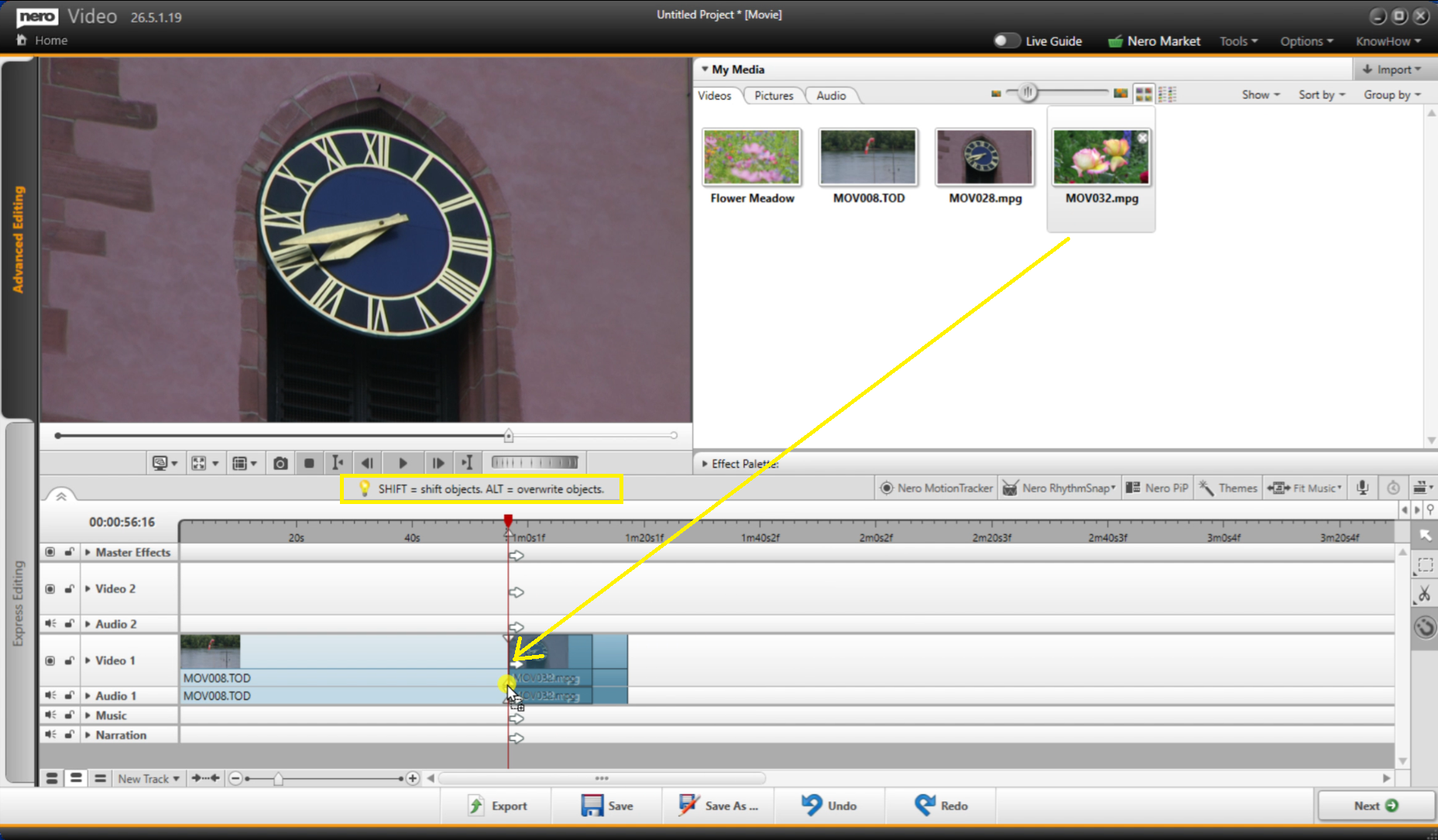
To overwrite clips on the timeline:
1. Hold down the Alt key.
2. Drag the new clip from My Media and drop it directly over the clip you wish to replace.
How it works:
- The new clip will replace the original clip starting from the drop point.
- If the new clip is longer: It will continue to overwrite subsequent clips until its full duration is placed.
- If the new clip is shorter: Only the corresponding portion of the original clip is replaced. The remainder of the original clip stays in place.





