If you purchased from an authorized third-party retailer (e.g., Nero Store on Amazon, Best Buy, magazines like Computerbild, MediaMarkt or other software stores):
1. You will receive an activation code, typically in one of two formats depending on the retailer:
1). A 32-character activation code, primarily used for standard software boxes and online retailers. The code is typically located in one of the following places: printed inside the physical product box, on a card included in the packaging, in your order confirmation email, etc.
2). A 24-character activation code that begins with "NERO". If you buy Nero on a card with a POSA code(a barcode) at MediaMarkt, after the cashier scans the card's POSA code, a 24-character activation code will be printed on your store receipt. (It is not possible to activate your product directly with POSA code.)
2. Regardless of the format (32-character or 24-character activation code), the activation method is the same.
3. How it works: The license is tied to this unique code. You must enter it to attach the software license to your chosen Nero Account.
How to activate:
1). Go directly to: https://www.nero.com/go
2). Log in with the Nero Account you wish to permanently link the software to, or register a new one right there.
3). After logging in, an activation dialog should appear automatically.
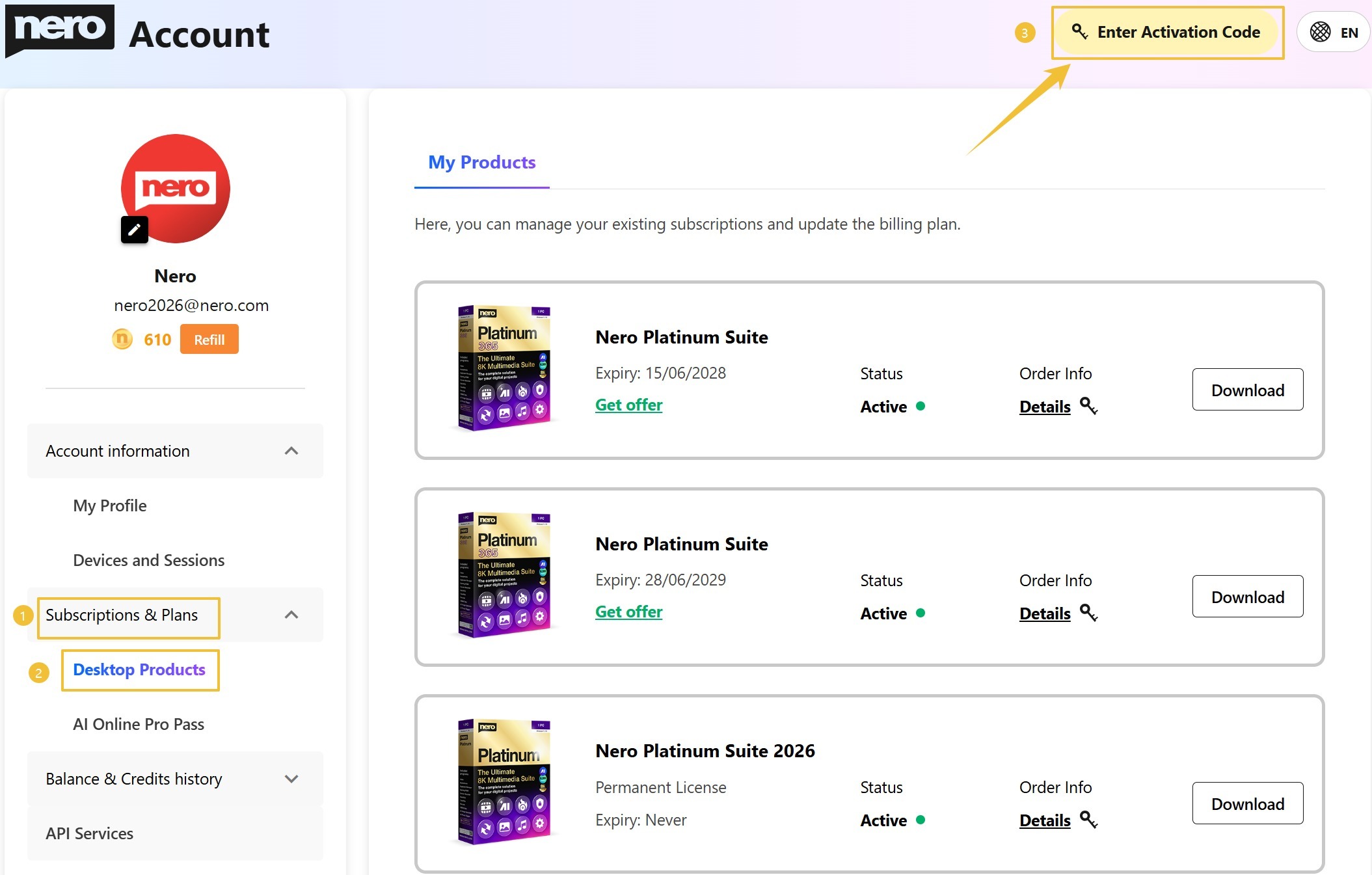
If it doesn't, navigate to: "Nero Profile → Subscriptions & Plans → Desktop Products → Enter Activation Code"
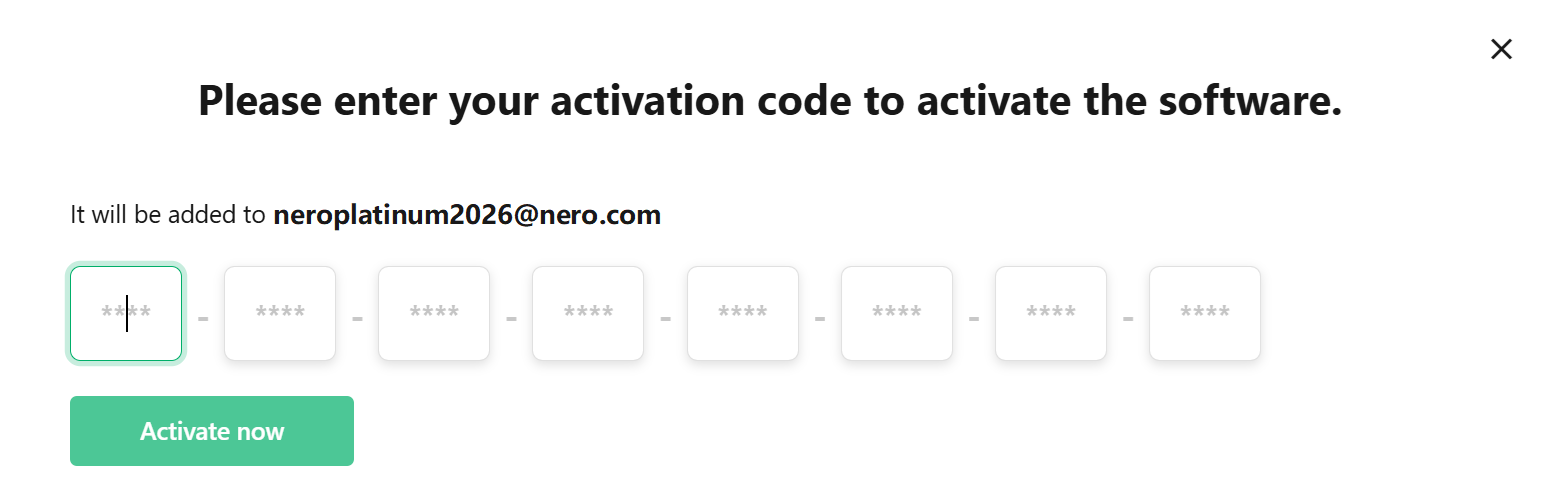
4). Enter your activation code and click the button of Activate Now. Once activated, you'll be able to download the installer for your product.
5). After installation, please open Nero Start and log in with your account to access your product.
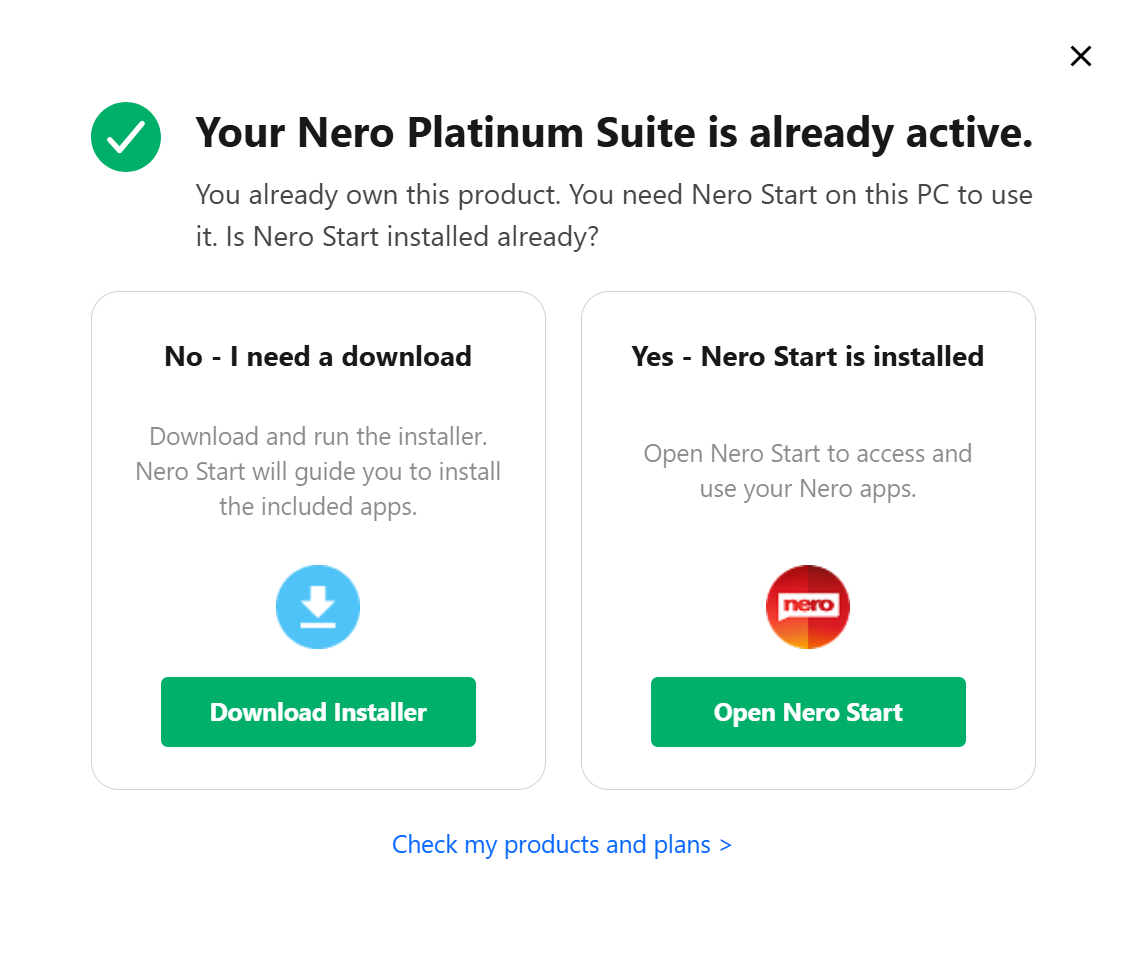
The software will be activated and be permanently bound to the account you are logged into.
> > Important: Each activation code can be redeemed only once and manually.
Check out details from the official Nero website